
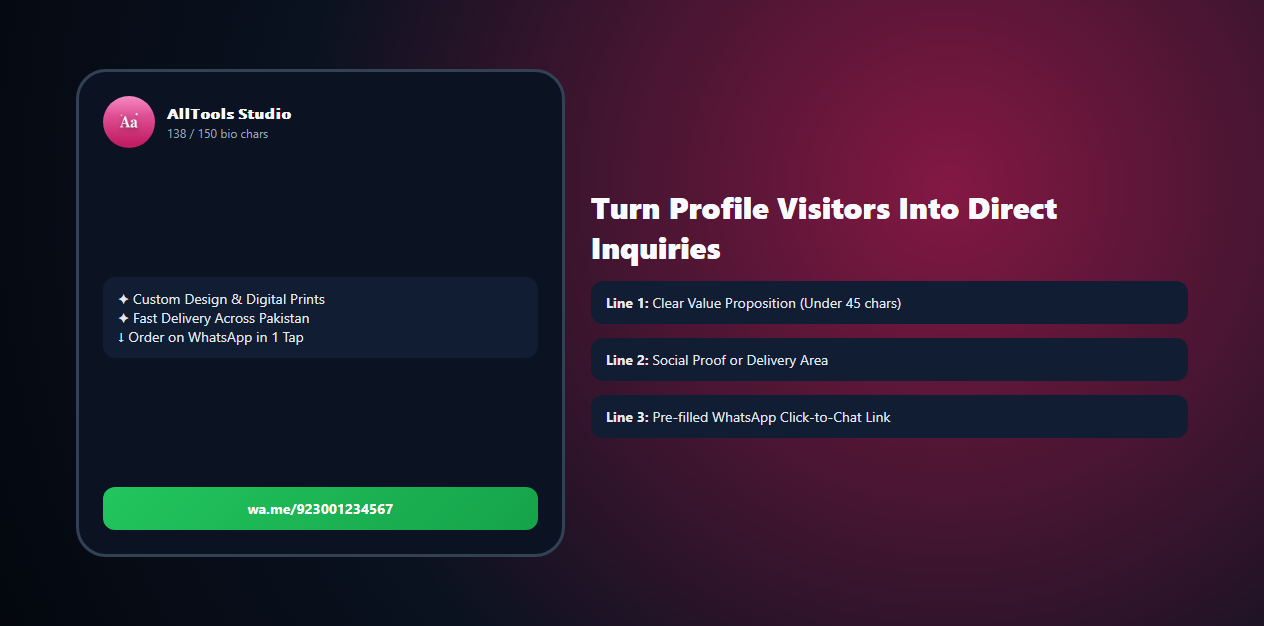
When a potential buyer discovers your Reel or clicks a friend's Story tag, you have roughly three seconds after they open your Instagram profile before they decide whether to hit Follow, click your order link, or swipe away forever. Yet Instagram squeezes your entire pitch into 150 strict characters—barely two short text messages.
Cramming emojis, vague motivational quotes ("Dream big & hustle"), or five hashtags into that precious space wastes your highest-converting digital storefront. Writing tight, crystal-clear copy that fits comfortably under character limits—paired with clean visual polish and a friction-free WhatsApp Link—turns casual visitors into steady inquiries.
The 4-Line Instagram Bio Blueprint (Under 140 Characters)
Draft your bio inside our Word & Character Counter first so you can watch the live Instagram Bio 150-character progress bar as you tighten every word. Aim for four crisp scannable lines:
- Line 1 — What You Sell & For Whom: Be brutally specific rather than poetic. "Handcrafted Leather Wallets & Custom Belts" beats "Quality Lifestyle Accessories" every single time.
- Line 2 — Key Proof or Turnaround: Answer the unspoken customer question immediately: "Cash on Delivery Nationwide • 48h Dispatch" or "500+ Happy Clients Since 2023".
- Line 3 — Location or Service Hours (Optional): Crucial if you run a local studio, clinic, or cafe (e.g. "Open Daily 11am–9pm • Gulberg III").
- Line 4 — Clear Call-to-Action Arrow: Point eyes cleanly toward your link slot: "Order or Ask Prices on WhatsApp ↓".
Using Name Field Keywords & Subtle Fancy Typography Correctly
Instagram treats two text fields very differently: your searchable Name Field (bold text right under your avatar) and your Bio Body. Put searchable terms in your Name Field in plain standard text—such as "Aura Bakery | Custom Cakes"—so locals typing "custom cakes" discover your account in search results.
Then, if you want a sleek visual brand header inside your bio or highlight labels without turning text messy, generate a subtle two-word accent in our Fancy Text Generator using Small Caps or Bold Sans-Serif. Keep pricing, delivery timelines, and city names in crisp plain text so every phone renders them effortlessly.
Writing WhatsApp Business Catalog Descriptions That Actually Answer Questions
Once shoppers tap your bio's wa.me link and open your WhatsApp Business Catalog, half of your time gets saved if your product descriptions answer common questions before buyers even ask:
- Lead With Exact Specs First: Put material, dimensions, available sizes, and color choices in the first two lines—right before WhatsApp hides extra text behind a "Read more" link.
- State Shipping & Payment Clearly: Mention whether price includes delivery, standard shipping days, and accepted payment methods (COD, bank transfer, card).
- Keep Paragraphs Short (2–3 Lines Max): Shoppers browse WhatsApp catalogs on 6-inch screens while commuting. Short bullet lines scan twice as fast as dense blocks of prose.
Three Common Profile Mistakes Costing You Sales
- "DM for Price" Everywhere Without Guidance: While some shoppers message, busy buyers frequently skip pages when zero baseline price range or ordering instruction appears. Even stating "Starting from..." qualifies serious leads and cuts tire-kicking DMs in half.
- Broken Link Trees With 9 Outdated Buttons: Every extra click loses 20%–30% of mobile visitors. If WhatsApp is where 80% of your sales close, put your direct chat link right at the top—or directly in your single bio URL slot.
- Overstuffing Emojis & Hashtags in Bio Text: Bio hashtags rarely drive discovery today and tempt users to click away off your profile onto public hashtag feeds! Keep hashtags inside captions where they belong.
Real Before-and-After Bio Makeover Examples
Seeing real rewrites side-by-side makes the difference unmistakable. Look at how two typical small businesses tighten vague bios into clear, 150-character conversion funnels:
- Before (Local Fitness Coach — 148 chars, vague): "Certified Trainer 💪🔥 Helping u get fit everyday!! Eat clean train hard 🏆 DM for online coaching plans #fitness #gym #motivation"
- After (136 chars, clear & actionable): "Fat-Loss & Home Workout Coaching • Custom Urdu/English Meal Plans • 200+ Transformations • Start Today on WhatsApp ↓"
Or look at a handmade skincare brand:
- Before: "✨ Pure Organics ✨ Natural glow for your skin 🌸 Made with love 💖 Order now!"
- After: "Organic Serums & Vitamin C Care • Dermatologist Tested • Free Delivery Above Rs. 3,000 • Order Fast on WhatsApp ↓"
Notice how both "After" versions pack concrete deliverables, trust signals, and an unmistakable next step cleanly inside Instagram's 150-character limit—verified effortlessly inside our Word & Character Counter.
Formatting WhatsApp Broadcast Updates That Get Read, Not Muted
Once buyers message your business and save your number, sending occasional WhatsApp broadcast updates about restocks or seasonal sales drives great repeat revenue—provided messages look clean on phone notifications. Keep broadcast announcements under 80 words, lead with the main offer in the first 10 words, avoid aggressive ALL-CAPS spam, and include one clean clickable link or product catalog card.
Frequently Asked Questions
Do line breaks in my Instagram bio count as characters? Yes! Each Enter/newline counts toward Instagram's 150-character budget, so count your final formatted draft with line breaks included before saving.
Should I put emojis in my business profile bio? Using two or three neat bullet icons (such as ✦ or →) adds clean visual separation on mobile screens without crowding text, while ten random emojis reduce brand credibility.
How often should I update my bio link and catalog descriptions? Review your bio link and top WhatsApp catalog items at the start of every new season or sale campaign! Updating out-of-stock item descriptions and refreshing your pre-filled WhatsApp starter text takes two minutes and stops customers from messaging about discontinued products.
Connecting Offline Flyers Back to Your Polished Social Bio
Do you hand out printed thank-you cards inside packages or display signs at local pop-up markets? Pair your optimized bio with two crisp QR codes created on AllToolsPlace: one linking directly to your Instagram gallery for social proof, and a second built with our WhatsApp Link Generator so buyers ready to reorder skip social scrolling completely and message you directly. Small offline-to-online bridges create consistent daily orders from both word-of-mouth referrals and social discovery—without spending extra ad budget.
Finally, treat your bio like a living storefront window rather than permanent stone. Whenever you launch a new bestseller, earn an impressive client milestone, or adjust weekend store hours, spend two minutes updating your 150 characters cleanly so every new visitor sees accurate, current proof. Pair that fresh bio with crisp catalog images compressed under 100 KB so shoppers browsing WhatsApp previews never wait on slow photos.
Polishing those 150 bio characters takes ten thoughtful minutes—and once written cleanly with live character tracking, clean Unicode accents, and a direct WhatsApp click-to-chat path, your social profile works tirelessly around the clock converting views into real conversations. Review your analytics monthly, refine whichever starter greeting gets the warmest customer responses, and watch steady word-of-mouth orders compound effortlessly week after week.