Students and independent freelancers share a remarkably similar daily reality: tight deadlines, overflowing browser tabs, strict client or professor formatting rules, and zero budget to waste on bloated monthly software subscriptions. Whether you are racing against an 11:59 PM university portal upload or packaging design proofs and invoices for a client across the globe, the right lightweight utility saves you from last-minute panic.
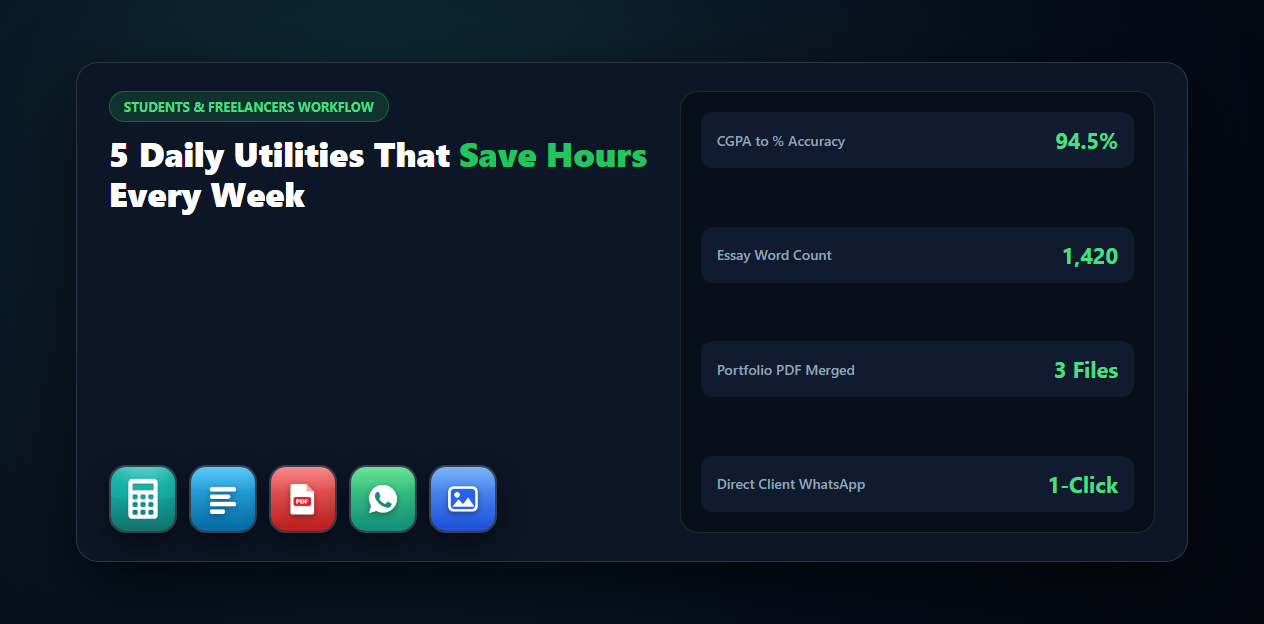
Instead of recommending dozens of paid apps you will uninstall next semester, let's focus on five fast, completely free browser tools inside AllToolsPlace that solve real weekly headaches for students and freelancers alike.
1. CGPA to Percentage Calculator & Semester GPA Planner
Anyone who has ever applied for an international scholarship, internship, or graduate school knows the frustration of grading scale mismatches. Your university marksheet proudly prints a 3.74 CGPA on a 4.0 scale, yet the online application form refuses to accept anything except an overall percentage. Worse, different institutions convert scores differently: Indian CBSE boards multiply 10-point scores by 9.5, many Pakistani and North American programs convert linearly against 4.0, and other engineering universities apply custom multipliers.
Our CGPA to Percentage Calculator handles 4.0, 5.0, 10.0 (×9.5 and ×10), and custom conversion rules side by side while instantly displaying your equivalent letter grade and academic division.
Even more valuable mid-semester is the built-in Semester GPA Builder. Rather than guessing how an A-minus in a 4-credit lab affects your cumulative standing compared to a 2-credit elective, enter your semester credits and expected GPAs to forecast your final result accurately before finals week begins.
2. Word & Character Counter with Live Keyword Density
Academic essays, scholarship motivation letters, Fiverr gig descriptions, and SEO client articles all live and die by exact length boundaries. Go 40 words over a strict 500-word statement of purpose, and an automated portal chops off your concluding sentence—or marks your submission non-compliant. Deliver 900 words on a 1,200-word freelance blog contract, and a client rightly asks for revisions.
Keeping the Word & Character Counter open in a pinned tab solves more than simple counting:
- Instant Read & Speech Timing: Preparing a five-minute class presentation or client pitch? Watch speaking-time estimates update live as you trim wordy paragraphs.
- Keyword Balance for Freelance Writers: SEO clients hate unnatural keyword stuffing, yet still expect core topic phrases to appear evenly. Checking top keyword percentages lets you spot accidental repetition in seconds.
- One-Click Text Cleanup: Pasting notes out of PDFs often leaves awkward line breaks or inconsistent capitalization. Quick buttons clean extra spacing and switch headings cleanly to Title Case without touching a word processor.
3. PDF Merger & JPG to PDF Converter
Ask any admissions coordinator or freelance agency manager what slows down document review most, and they will point to scattered attachments: six separate JPEG phone photos of an academic transcript, followed by a Word resume, followed by two standalone PDF recommendation letters.
With our PDF Merger / JPG to PDF utility, you can drop both PDF documents and smartphone photos into one clean list, drag or nudge pages into the exact logical order reviewers expect, set uniform A4 portrait margins so uneven mobile photos look neat, and export a single crisp PDF file.
For freelancers sending monthly retainers, combining a signed contract, milestone summary, and final invoice into one tidy packet looks instantly polished—and because pdf-lib merges everything inside your own browser memory, private financial agreements never touch an external server.
4. Exact-Target Image Compressor (20KB, 50KB, 100KB)
Few error messages spike blood pressure faster than seeing "File size must not exceed 50 KB" ten minutes before an exam registration portal closes. Modern smartphone cameras routinely capture portraits and scanned signatures at 4,000 pixels wide—weighing three to five megabytes each.
Traditional image editors force you into clumsy trial-and-error: save at 40% quality, inspect file properties, see 78 KB, re-open, save at 25% quality, inspect again. Our Image Compressor automates that search. Pick 20 KB, 50 KB, or 100 KB directly (or type your own limit), toggle between High Quality sharpness or Medium compact sizing, and download a file guaranteed to clear portal limits cleanly.
Freelance web developers and WordPress designers rely on the exact same compressor to shrink hero banners and client product photos to fast-loading WebP files before site launch.
5. WhatsApp Direct Link & QR Generator
For freelancers, tutors, and student organizers building side hustles, speed of communication directly shapes how many inquiries convert into paying clients. If a prospective customer finds your graphic design portfolio on Instagram or LinkedIn, forcing them to copy your phone number, open contacts, create a new entry, wait for WhatsApp to sync, and finally send "Hi" drops your response rate dramatically.
Our WhatsApp Link Generator turns your number into a clean clickable link (https://wa.me/...) pre-loaded with a tailored starter message such as "Hi! I'd like a quote for a website/logo project." Copy the link into your social bio, PDF proposal footer, or email signature—and download the accompanying QR code so printed flyers at campus events or networking meetups connect people directly to your inbox in one scan.
Bonus Workflow: Turning Phone Scans into Clean Submission Packets
Many students and early-career freelancers work primarily from a budget laptop or smartphone without dedicated office hardware nearby. Pairing these five utilities into a repeatable routine removes almost every technical hurdle between completing your work and turning it in professionally.
Say a client or university admissions office emails requesting your updated academic record, passport photo, and brief bio by 5:00 PM. Instead of panicking or visiting three print cafes:
- Verify Numbers First: Double-check your cumulative percentage inside the CGPA Calculator and verify age eligibility with our Age Calculator before typing numbers into an online portal that locks entries after submission.
- Polish Your Written Pitch: Draft your cover email or bio snippet inside the Word Counter, check for awkward extra whitespace, and ensure your elevator pitch fits within strict portal character limits.
- Standardize Your Visuals: Frame a crisp 300 DPI headshot in the Passport Photo Maker, shrink any heavy attachments cleanly using the Image Compressor, and assemble supporting documents into one tidy PDF packet.
- Make Follow-Ups Effortless: Drop your direct WhatsApp click-to-chat link inside your freelance email footer or PDF invoice so busy clients can reply with approval or questions from their phone in seconds.
Why Browser-First Tools Beat "Free" Mobile Apps
App stores are flooded with single-purpose PDF and image utilities that promise free conversions—right up until you spend ten minutes formatting a document and hit a paywall blocking download unless you start a weekly subscription. Even worse, random mobile apps routinely ask for invasive storage permissions and cram fullscreen video ads between every tap.
Clean web utilities on AllToolsPlace require zero phone storage, display zero deceptive fake download buttons, work equally well across Windows, macOS, Android, and iPhone browsers, and keep sensitive transcripts and client contracts strictly inside your local browser memory.
Putting It All Together: A Zero-Cost Digital Backpack
You do not need expensive subscription bloat to look organized, hit strict academic and client specifications, and work efficiently from any laptop or mobile phone. By keeping these five essentials bookmarked together, you eliminate hours of repetitive file juggling across the semester—leaving more time to study, build impressive projects, and deliver top-quality freelance work on schedule.