
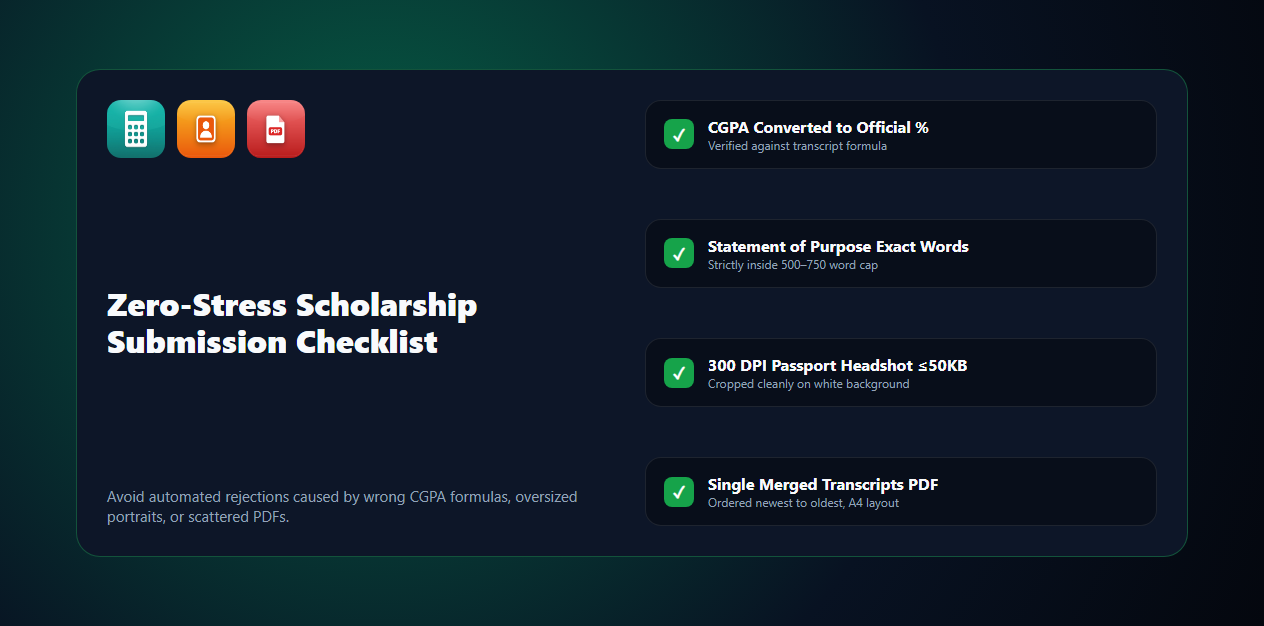
Competitive scholarships—from Erasmus Mundus, DAAD, Fulbright, and Chevening to national HEC merit fellowships—receive thousands of qualified applicants for every handful of funded seats. Surprisingly, strong candidates with impressive grades and compelling research goals frequently lose out before an academic panel even reads their essays, simply due to rushed technical paperwork mistakes made in the final hour before portal closure.
Missing a cutoff age rule by two days, typing an approximate percentage instead of checking your grading scale, pasting a Statement of Purpose that gets chopped off mid-sentence, or uploading a 6 MB unmerged pile of transcript photos all create preventable delays. Running calmly through a structured four-step checklist 48 hours before deadline eliminates those technical risks completely.
Step 1: Verify Eligibility Numbers Early (Age & Academic Standing)
Never rely on rough mental math when entering fixed biographical or academic criteria on portals that lock records permanently after final submission:
- Check Your Official Age on the Stipulated Cutoff Date: Many scholarships specify an upper limit (e.g., "Must not exceed 25 or 35 years on the closing date of applications"). Open our Age Calculator, enter your exact birth date, and set the As Of Date equal to the portal deadline to confirm eligibility down to the exact day.
- Convert CGPA Accurately Only When Requested: If the portal asks for percentage marks instead of CGPA, use our CGPA to Percentage Calculator matched to your board's rule (4.0 HEC/US, 10.0 CBSE ×9.5, or custom formula printed on the reverse of your transcript). If you are currently in your final semester awaiting graduation results, calculate your up-to-date weighted GPA cleanly inside the Semester GPA Builder.
Step 2: Polish Your Statement of Purpose Inside Strict Word Caps
Writing your Statement of Purpose (SOP) directly inside a live web portal form is dangerous—one WiFi hiccup or session timeout wipes thirty minutes of writing. Always draft in a saved document offline, then paste each essay answer into our Word & Character Counter before pasting into the application box.
Look carefully at whether the portal limits words (e.g., "Maximum 500 words") or characters including spaces (e.g., "Maximum 3,500 characters"). Notice that 500 words filled with long academic terminology can easily cross 3,600 characters! Watching both counters simultaneously ensures your concluding paragraph never gets chopped mid-thought.
Step 3: Frame & Size Your Official Portrait Properly
Application portals typically ask for a clear digital portrait alongside scanned documents—often enforcing both an aspect ratio (35×45mm or 2×2 inch) and a tight file weight cap (under 50 KB or 100 KB).
- Snap a well-lit headshot against a plain light wall facing indirect window daylight (no glasses, neutral expression, dark contrasting collar).
- Crop cleanly at 300 DPI inside our Passport Size Photo Maker.
- If the scholarship upload widget rejects files over 50 KB or 100 KB, compress the exported JPEG precisely to target using our Image Compressor so facial features stay sharp without tripping size errors.
Step 4: Build One Logical, Compact Application PDF
When portals give you a single upload field labeled "Upload Combined Academic Transcripts & Degree (PDF)," gather clean, un-shadowed overhead photos or PDFs of every marksheet and load them into our PDF Merger / JPG to PDF.
- Order Chronologically: Put your highest/latest degree and official transcript first, followed by earlier certificates—unless the instructions specify oldest first.
- Watch Total File Weight: Most scholarship systems reject PDFs over 2 MB or 5 MB. Compressing scanned certificate images to ~120 KB each before merging keeps a 10-page document crisp and comfortably below portal caps.
- Verify Zero Upside-Down Pages: Open the downloaded merged PDF completely and check every single page visually before uploading.
48 Hours Before Deadline: Final Backup Routine
Never wait until the final two hours before a midnight European or US timezone deadline—scholarship servers slow to a crawl when thousands of students upload simultaneously on closing night. Finish your PDF merges, portrait sizing, and word checks two days early, save an archive copy of the exact submitted files in a dated folder, and submit calmly with plenty of time to spare.
Common Document Mistakes That Trigger Automatic Technical Disqualification
University admissions offices receive thousands of packets every cycle and routinely run strict first-round technical screening before professors ever open an applicant's research statement. Avoid these five preventable pitfalls:
- Submitting Provisional Unstamped Marksheets Without Explanation: If your final official degree has not been printed yet, merge your official registrar-stamped provisional transcript together with an expected graduation letter onto consecutive A4 pages inside one PDF so reviewers see immediate verification.
- Mixing Portrait & Upside-Down Smartphone Photos: Shooting Page 2 of a transcript sideways forces screen reviewers to tilt their heads—and OCR verification parsers sometimes reject rotated pages. Always inspect every single page upright inside your browser PDF viewer before uploading.
- Forgetting Official English Translation Pairings: If your degree or birth certificate was issued in Urdu, Arabic, Turkish, or another non-English language, merge the certified English translation directly behind the original scanned page inside the same PDF file rather than scattering translations in unrelated upload slots.
- Compressing Multi-Page Scans Too Aggressively: While saving space matters, shrinking a blurry scan down below 40 KB per page can smudge university stamp serial numbers and signatures. Aim around 100 KB–150 KB per certificate page for crisp readability.
- Leaving Generic Filenames Like
Document1.pdf: Clear filenames such asAyesha_Khan_Official_Transcripts_2026.pdfkeep committee folders organized immediately.
Real Timeline: Preparing a Clean Application Packet in One Evening
Here is how smoothly a complete scholarship application packet comes together when organized calmly in order: spend 15 minutes verifying exact cutoff age and converted percentage inside our Age Calculator and CGPA Calculator; spend 45 minutes tightening your essay draft inside the Word Counter; take 10 minutes framing your 300 DPI headshot and compressing it to 48 KB; and take 10 minutes merging transcripts cleanly into one A4 PDF. Less than ninety minutes of calm preparation saves months of waiting for next year's intake.
Frequently Asked Questions
Should my CV and Motivation Letter stay separate PDFs or merged together? Follow the portal's exact upload boxes carefully! Whenever a portal gives separate boxes for CV, SOP, and Transcripts, upload them individually; only merge documents together when a single box asks for combined transcripts or supporting certificates.
Are my transcripts safe when merged on AllToolsPlace? Yes—every image compression and PDF merge runs locally inside your browser tab memory with zero server storage.
How should I handle extra-curricular certificates or award letters? Unless a scholarship explicitly invites supporting awards, group your top three relevant certificates cleanly into one concise Appendix PDF rather than attaching twenty minor participation slips that distract committee reviewers.
What if a European university asks for certified digital signatures or unmerged high-res copies later? That is precisely why keeping your original unmerged master scans in an offline folder matters! Merge clean lightweight PDFs for online initial portal uploads, while preserving high-DPI originals ready in case an embassy requests physical notarized copies later.
Good preparation respects both your academic hard work and the reviewer's screen time. Check every number, organize clean pages, and give your scholarship application the smooth technical presentation it deserves.