
Every freelance writer and niche blogger knows the dread of staring at a blank editor beside a brief reading: "Write 1,400 words on this topic. No fluff." Push too short and stop around 750 words, and the client rejects the deliverable or thin-content filters skip your blog post. Pad the article out with repetitive throat-clearing sentences—like repeating the same definition three different ways—and human readers bounce after paragraph two.
Hitting a specific target such as 1,200, 1,500, or 2,000 words naturally is not about typing faster or stretching simple sentences. It is an outlining skill. When you plan structure properly and track live progress inside a clean analyzer like our Word & Character Counter, long-form articles almost write themselves.
Why Readers (and AdSense Reviewers) Hate Padded Content
In the early days of SEO, some bloggers treated word count as a blunt weapon—believing 1,500 words automatically outranked 600 words regardless of quality. Modern search algorithms and Google AdSense quality teams spot padded prose almost effortlessly. Generic introductions that stall for three paragraphs before answering the headline's basic question drive visitors straight back to Google search results.
Real depth comes from answering follow-up questions the reader naturally thinks of next—edge cases, real examples, comparisons, mistakes to avoid, and actionable checklists.
The Modular "Word Budget" Outlining Method
Never start writing a 1,300-word guide by typing Paragraph 1 blindly and hoping you land near the target. Instead, divide your total target into clear, modular subheadings before writing a single prose sentence:
- Hook & Direct Answer (~150 words): Acknowledge the reader's real-life frustration in two crisp paragraphs and preview what they will walk away with.
- Section 1 — Core Explanation (~250 words): Explain how the concept works plainly without jargon.
- Section 2 — Step-by-Step Practical Walkthrough (~350 words): Walk through concrete numbers, presets, or menus rather than vague theory.
- Section 3 — Real Mistakes & Troubleshooting (~300 words): Cover the exact errors people hit on the job (e.g., why PNG refuses to shrink or why a formula throws errors).
- Section 4 — Honest Comparison or FAQ (~250 words): Answer two or three specific questions readers search next.
Add those modules together and you land right around 1,300 words—and every single section earns its space because it teaches something genuinely distinct!
Using Live Reading Time & Keyword Density Wisely
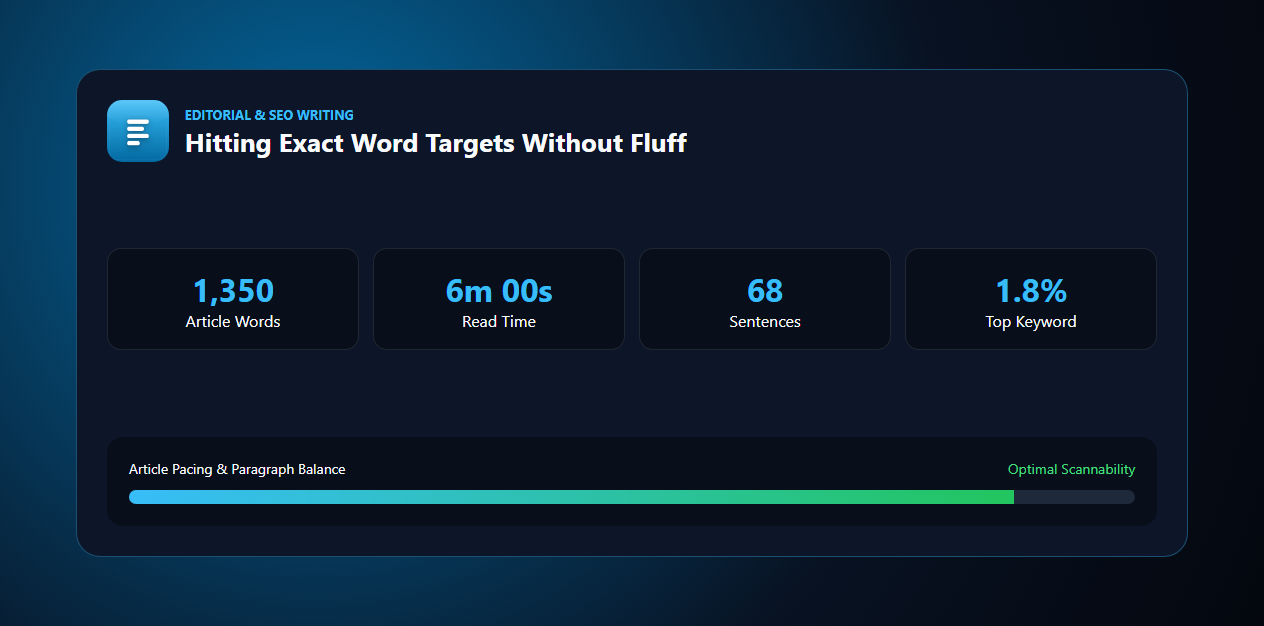
Once your rough draft sits inside our Word & Character Counter, look beyond total word count at three revealing numbers:
- Average Sentence & Paragraph Pacing: Compare total words against total sentences. If 1,200 words contain only 32 sentences, your sentences average nearly 38 words each—exhausting to read on mobile phones! Aim to mix crisp 10-word punches alongside 20-word explanations so your rhythm feels conversational.
- Top Keyword Frequency: Glance at the Top Keyword Density chips below the editor. If your main topic word repeats 45 times (over 3.5% density), readers will notice clunky repetition. Replace redundant repeats naturally with pronouns or related sub-concepts.
- Reading Time Estimates: For practical how-to blogs, a 6- to 8-minute reading time (~1,300 words) strikes an ideal balance—deep enough to cover real nuances without turning into an overwhelming textbook.
Cleaning Up Messy Copy Pasted From Docs or PDFs
Writers drafting across Google Docs, Notion, and email frequently run into annoying invisible formatting quirks when moving text into a CMS—double spaces between sentences, inconsistent title capitalization, or trailing blank lines. Running quick cleanup actions inside the Word Counter (such as Clean Spaces or Title Case for subheadings) polishes your final copy before publishing.
Writing Essays & Scholarship Statements Under Strict Caps
Students face the opposite problem: squeezing a rich personal story into a strict 500-word or 2,500-character admission portal box. Watching live word and character-with-spaces counters update keystroke by keystroke keeps you from losing your closing paragraph when a portal hard-cuts excess characters on submission.
How Top Editors Break Out of "Writer's Block" at Word 700
Almost every writer hits a familiar wall halfway through a 1,400-word guide: you covered the obvious steps in 700 words, and suddenly worry the second half will feel padded. Instead of repeating points awkwardly, ask four genuine reader-centric questions to unlock fresh, high-value sections:
- "What breaks when someone tries this on a mobile phone instead of a laptop?" Adding mobile-specific caveats instantly adds practical value that generic tutorials skip.
- "What is one concrete before-and-after numbers example?" Replace abstract claims like "saves time" with real comparisons (e.g., shrinking 4.2 MB down to 48 KB or structuring a 150-character Instagram bio).
- "What common mistake costs beginners time or money?" Warning readers about hidden traps—such as password-locked bank PDFs or dynamic QR expirations—builds immediate reader trust.
- "What 2–3 quick FAQs appear right after solving the main task?" Answering natural follow-up questions rounds out any guide cleanly toward 1,300+ words without a single wasted sentence.
Why Human Rhythm Matters More Than Ever in 2026
Readers—and Google's helpful-content reviewers evaluating sites for AdSense—spot monotonous, repetitive phrasing instantly. When every paragraph starts with identical transitions and uniform 22-word sentences, engagement plummets. Vary your rhythm intentionally: pair a three-sentence practical breakdown with a short bulleted checklist, drop in an honest caveat inside a callout box, and write directly to one real person solving one concrete problem.
Frequently Asked Questions
Do hyphenated words like "client-side" or "step-by-step" count as one word or two? Standard word processors and our Word Counter split primarily by whitespace, treating hyphenated compounds as single words (matching Microsoft Word, Google Docs, and most freelance billing tools).
What is an ideal keyword density for natural SEO articles? Rather than chasing rigid formulas, keep your primary topic naturally between roughly 1.0% and 2.2%—and use related variations rather than repeating identical awkward phrases.
Why do freelance writing clients often specify 1,200 to 1,500 words for blog guides? That range gives writers enough room to answer practical nuances, include step-by-step lists, troubleshoot edge cases, and satisfy reader intent completely—helping pages perform strongly in organic search and meet editorial quality standards for ad networks like Google AdSense without dragging into tedious filler.
Quick Final Self-Edit Before Sending Drafts to Clients
Spend ninety seconds checking three things before marking a freelance assignment complete: confirm total word count sits cleanly inside the agreed target window; scan reading time and top keyword percentages to catch unintentional repetition; and strip stray double spaces with one click so your copy pastes effortlessly into any client CMS.
Even better, save your cleanest 1,300-word article templates (such as a recurring structure for product comparisons, tutorials, and buyer checklists) inside a local folder—turning blank-page hesitation into consistent weekly output for clients and your own sites.
Over time, practicing disciplined modular outlining makes hitting any word target second nature, letting you spend creative energy on practical insights rather than staring nervously at the bottom word counter.
Whether you bill per word for international clients or write long-form tutorials for your own blog, treating word counts as modular building blocks replaces tedious padding with clear, genuinely helpful writing readers actually finish.